HomeWire home network lab
Gear: Mesh, Extenders & Adapters

WiFi 6 Router Guide: Do You Actually Need Wi-Fi 6 for Your Home?
By the HomeWire team Updated 2026 Tested in real UK homes
WiFi 6 Router Guide: Do You Actually Need Wi-Fi 6 for Your Home?

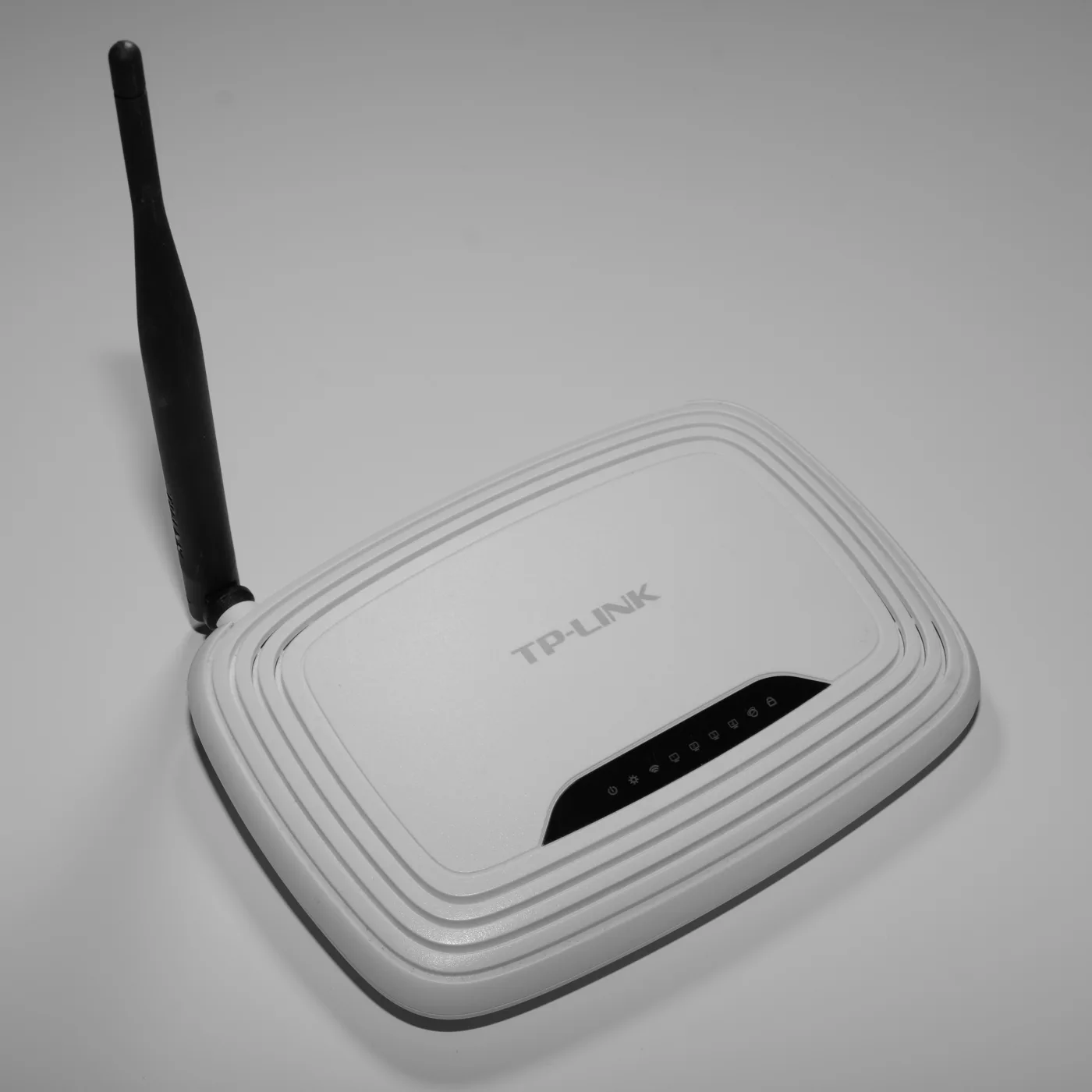
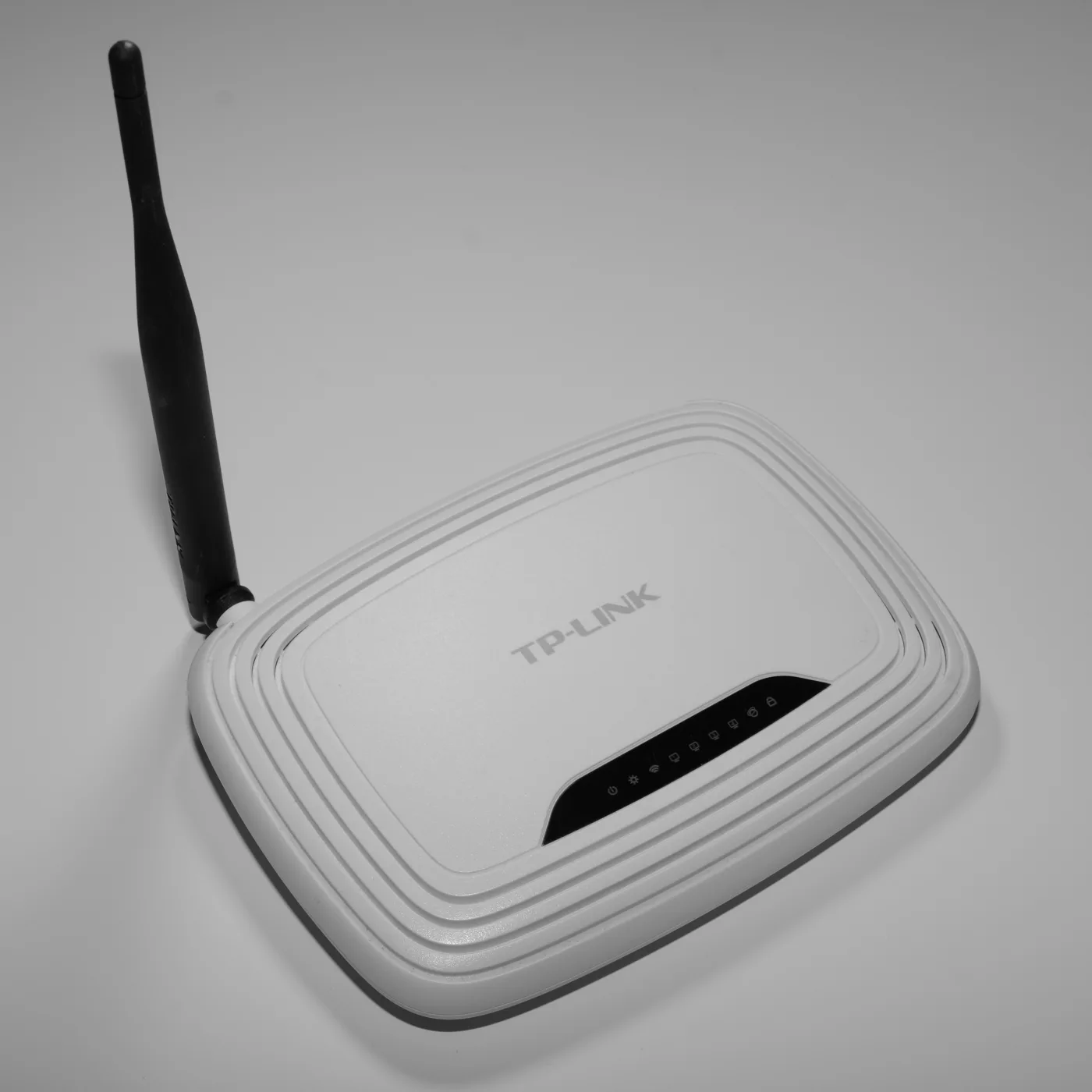
Should you buy a WiFi 6 router, or is it marketing that will not change anything in your home? The honest answer is that a WiFi 6 router is a real, worthwhile upgrade for busy modern homes, but for a lot of UK households it fixes a problem they do not have. This guide explains what a Wi-Fi 6 router actually does, how it stacks up against Wi-Fi 6E and the newer Wi-Fi 7, and how to tell whether upgrading will make your connection noticeably better.

The short version: Wi-Fi 6 helps most when you have lots of devices competing at once, not when you simply want one laptop to go faster. If you understand that distinction, the buying decision becomes easy.

What Wi-Fi 6 actually is

Wi-Fi 6 is the friendly name for the 802.11ax standard, introduced in 2019 and now mature and widely available. It works on the same 2.4GHz and 5GHz bands you already use, but adds several efficiency features that matter in a crowded home:

  • OFDMA: lets the router talk to several devices within the same transmission instead of serving them strictly one after another. This is the headline improvement for homes full of gadgets.
  • MU-MIMO: handles multiple devices at once across separate streams.
  • 1024-QAM: packs more data into each signal, lifting real-world throughput.
  • Target Wake Time (TWT): lets battery devices like phones and smart-home sensors sleep between transmissions, improving their battery life.
  • WPA3: the current, stronger Wi-Fi security standard.

The key point is that Wi-Fi 6 is about capacity and efficiency under load, not a magic speed boost for a single device.

Wi-Fi 6 vs Wi-Fi 6E vs Wi-Fi 7

The naming is confusing, so here is the plain version:

  • Wi-Fi 6 uses the 2.4GHz and 5GHz bands. Mature, affordable, and plenty for most homes.
  • Wi-Fi 6E adds a third band, 6GHz, which in the UK Ofcom opened for licence-exempt use. That extra spectrum is clean and uncongested, giving compatible devices a fast, interference-free lane. It mainly helps in dense environments or if you have specific 6GHz devices.
  • Wi-Fi 7 (802.11be), certified in early 2024 and widely on sale by 2026, pushes things further with wider 320MHz channels, 4096-QAM, and Multi-Link Operation (MLO), which lets a device use more than one band at the same time. Its headline figures are enormous, but you only see the benefit with Wi-Fi 7 client devices and a very fast internet connection.

For most UK homes in 2026, Wi-Fi 6 is the sensible default, Wi-Fi 6E is a modest step up, and Wi-Fi 7 is future-proofing that pays off mainly on gigabit broadband with newer devices.

Do you actually need a Wi-Fi 6 router?

Ask yourself three questions:

  1. How fast is your broadband? If you are on a connection under about 100Mbps, your broadband, not your Wi-Fi standard, is the bottleneck. A newer router will not make your line faster. Our guide on what broadband speed you need helps you judge this.
  2. How many devices are online at once? Phones, laptops, TVs, speakers, doorbells, thermostats. The more you run simultaneously, the more Wi-Fi 6’s efficiency helps. A one or two device household sees little benefit; a busy family home sees a lot.
  3. Do your devices even support Wi-Fi 6? Both ends need to support it. If your phones and laptops are a few years old, they may only do Wi-Fi 5, so a Wi-Fi 6 router talks to them at Wi-Fi 5 speeds anyway. Wi-Fi 6 is fully backwards compatible, so nothing breaks, but you only get the new benefits with newer devices.

If you answered “fast broadband, many devices, mostly recent gear”, a Wi-Fi 6 (or 6E) router is a genuine upgrade. If not, spend the money on better placement or mesh instead.

Wi-Fi 6 router or mesh?

A common mistake is buying a powerful single router when the real problem is coverage. If your issue is dead spots in a bedroom or the garden, a Wi-Fi 6 mesh system will help far more than a single high-end router, because it spreads several nodes around the house. Read our mesh Wi-Fi explained guide before you decide. Many good mesh systems are now Wi-Fi 6, so you often get both at once.

Also remember that the router your broadband provider gave you may only be Wi-Fi 5 or a basic Wi-Fi 6 model. Upgrading the router (or adding mesh behind it in bridge mode) is often the single biggest improvement you can make, as covered in Wi-Fi bridge mode explained.

The bottom line

Buy a Wi-Fi 6 router if you have a fast connection, a house full of devices, and reasonably modern phones and laptops. It will handle the load better, run smart-home gadgets more efficiently, and bring you up to WPA3 security. If your home is quieter or your broadband is the limiting factor, save your money, or spend it on coverage with mesh instead.

For the technical background, the Wi-Fi Alliance publishes the official standards, and Ofcom sets the UK rules for the 6GHz band used by Wi-Fi 6E and Wi-Fi 7.

Frequently asked questions

Do I need a Wi-Fi 6 router? You benefit most if you have fast broadband, many devices online at once, and fairly recent phones and laptops. If your broadband is under about 100Mbps, or only one or two devices are ever connected, a Wi-Fi 6 router will make little noticeable difference and better placement or mesh is a smarter spend.

Is Wi-Fi 6 backwards compatible with older devices? Yes. A Wi-Fi 6 router works with Wi-Fi 5 and older devices, which simply connect at their own maximum speed. You only get the Wi-Fi 6 benefits when both the router and the device support Wi-Fi 6, so nothing breaks by upgrading.

What is the difference between Wi-Fi 6 and Wi-Fi 6E? Wi-Fi 6 uses the 2.4GHz and 5GHz bands. Wi-Fi 6E adds the newer 6GHz band, which is cleaner and less congested, giving compatible devices a fast, interference-free lane. Wi-Fi 6E mainly helps in dense areas or with specific 6GHz devices.

Should I skip Wi-Fi 6 and buy Wi-Fi 7 instead? Only if you have very fast broadband and newer Wi-Fi 7 devices. Wi-Fi 7 adds wider channels and Multi-Link Operation, but you need Wi-Fi 7 client devices to see the gains. For most UK homes in 2026, Wi-Fi 6 or 6E offers the best value.

Will a Wi-Fi 6 router make my internet faster? Not beyond the speed your broadband line delivers. A Wi-Fi 6 router improves how efficiently many devices share your connection and can reduce congestion, but it cannot exceed the speed your provider supplies. If one device feels slow, the fix is often coverage, not a new standard.
// more from HomeWire
Why Is My Wi-Fi So Slow? 12 Fixes That Actually Work (UK)
Fix It: Wi-Fi & Network Troubleshooting

Why Is My Wi-Fi So Slow? 12 Fixes That Actually Work (UK)

Why is my Wi-Fi so slow? 12 tested UK fixes, from router placement and 5GHz to channel changes and your Ofcom minimum-speed rights.

Gear: Mesh, Extenders & Adapters

Travel Router: Making Hotel and Airbnb Wi-Fi Usable

What a travel router does, why it fixes hotel and Airbnb Wi-Fi, and how to choose one. Real models from GL.iNet and TP-Link, plus VPN and captive-portal tips.

What Broadband Speed Do I Need? A UK Household Guide
Speed & Coverage

What Broadband Speed Do I Need? A UK Household Guide

Work out what broadband speed you need in the UK based on your household size, streaming, gaming and working from home, without paying for speed you won't use.

Set Up & Get Online

Three (3) Broadband Review: Mobile and Home Broadband Tested

Our Three (3) broadband review covers 5G and 4G home broadband and mobile broadband: speeds, coverage, contracts and who it suits after the Vodafone merger.

What Is a Wi-Fi Access Point (and When to Use One)?
Gear: Mesh, Extenders & Adapters

What Is a Wi-Fi Access Point (and When to Use One)?

What a Wi-Fi access point is, how it differs from an extender and mesh, and when a wired access point is the better fix for a dead zone in your home.

Powerline Adapters Explained: Networking Through Mains Wiring
Gear: Mesh, Extenders & Adapters

Powerline Adapters Explained: Networking Through Mains Wiring

How powerline adapters work, HomePlug AV2 vs G.hn, real-world speeds, and when powerline beats a mesh or extender for getting internet to a far room.

Wi-Fi Keeps Dropping or Disconnecting? Step-by-Step Fix
Fix It: Wi-Fi & Network Troubleshooting

Wi-Fi Keeps Dropping or Disconnecting? Step-by-Step Fix

If your wifi keeps dropping, work through these UK fixes in order: restart the router, change the channel, split the bands and check for a line fault.

Ethernet Connected But No Internet? How to Fix It
Fix It: Wi-Fi & Network Troubleshooting

Ethernet Connected But No Internet? How to Fix It

Ethernet connected but no internet? Work through these ordered UK fixes, from a quick router reboot to DHCP, DNS and driver repairs that get you back online.

How to Log Into Your Router at 192.168.1.1 (UK Routers)
Set Up & Get Online

How to Log Into Your Router at 192.168.1.1 (UK Routers)

A step-by-step 192.168.1.1 router login guide for UK routers, plus the correct IP for BT, Sky, Virgin, TalkTalk, EE and Plusnet hubs.

How to Change Your Wi-Fi Channel to Stop Interference
Set Up & Get Online

How to Change Your Wi-Fi Channel to Stop Interference

How to change your Wi-Fi channel to stop interference: best 2.4GHz and 5GHz channels, plus steps for BT, Sky, Virgin and TalkTalk routers.

Wi-Fi Extenders: Do They Work, or Is Mesh or Powerline Better?
Gear: Mesh, Extenders & Adapters

Wi-Fi Extenders: Do They Work, or Is Mesh or Powerline Better?

Do Wi-Fi extenders actually work? When a Wi-Fi extender fixes dead spots, when it halves your speed, and whether mesh or a powerline adapter is the better UK buy.

Wi-Fi Channel Finder
Tools

Wi-Fi Channel Finder

Best Wi-Fi channel finder for UK homes: read your phone's Wi-Fi scan and get the least-crowded 2.4GHz, 5GHz and 6GHz channel to switch to.

Broadband Speed Calculator: How Much Do You Actually Need?
Tools

Broadband Speed Calculator: How Much Do You Actually Need?

Free broadband speed calculator: tell us your household and we work out how much broadband speed you need, in Mbps, for the UK.

Mesh Node Planner
Tools

Mesh Node Planner

Free UK mesh node planner: answer how many mesh nodes do I need for your home's size, floors and walls, with a printable placement plan.

Set Up & Get Online

BT Broadband Reviews: Speed, Reliability and Value in 2026

Our BT broadband reviews for 2026: real speeds on Full Fibre, how reliable it is, the price-rise catch, and whether it is worth the premium.

How to Fix Wi-Fi Dead Spots at Home: 9 Proven Fixes
Fix It: Wi-Fi & Network Troubleshooting

How to Fix Wi-Fi Dead Spots at Home: 9 Proven Fixes

Fix Wi-Fi dead spots at home with 9 proven steps, free fixes first: router placement, band, channel, mesh, wired backhaul and UK ISP kit explained.
Best Mesh Wi-Fi Systems UK 2026: Tested and Compared
Gear

Best Mesh Wi-Fi Systems UK 2026: Tested and Compared

The best mesh Wi-Fi systems for UK homes in 2026, ranked by coverage, value and backhaul. Wi-Fi 6, 6E and 7 picks for brick and stone walls.
How to Reset Your Router Without Losing Your Settings
Set Up & Get Online

How to Reset Your Router Without Losing Your Settings

Restart fixes most problems and keeps every setting. Factory reset wipes the lot. UK hub-by-hub steps for BT, Virgin, Sky and EE, plus what to save first.

What Is a Good Ping for Gaming and How to Lower It
Speed & Coverage

What Is a Good Ping for Gaming and How to Lower It

A good gaming ping is under 30ms for competitive play, under 50ms casual. Here is how to lower it: go wired, pick a near server, and fix Wi-Fi and QoS.

BT, Sky, Virgin and EE Router Default Passwords Explained
Set Up & Get Online

BT, Sky, Virgin and EE Router Default Passwords Explained

There is no master password for BT, Sky, Virgin or EE hubs. Where each default actually lives, Wi-Fi vs admin passwords, and what a reset restores.

Why Your Broadband Slows Down in the Evening (and What to Do)
Fix It: Wi-Fi & Network Troubleshooting

Why Your Broadband Slows Down in the Evening (and What to Do)

Broadband slow in the evening? Here's why UK speeds dip around 9pm, how to test if it's your line or Wi-Fi, and what actually fixes it.

2.4GHz vs 5GHz vs 6GHz: Which Band Should You Use and When
Speed & Coverage

2.4GHz vs 5GHz vs 6GHz: Which Band Should You Use and When

Which Wi-Fi band to join, when, for UK homes. A use-case table, the physics, Ofcom rules, plus 6GHz, WiFi 6E/7 and merge-vs-split SSID advice.

How to Run an Ethernet Cable Through Your House Tidily
Set Up & Get Online

How to Run an Ethernet Cable Through Your House Tidily

A practical UK guide to running Ethernet cable through your house tidily: planning routes, choosing cable, wall and floor runs, terminating and safety.

Long Ethernet Cable: Which Length and Category to Buy
Gear: Mesh, Extenders & Adapters

Long Ethernet Cable: Which Length and Category to Buy

Buying a long Ethernet cable for a UK home? Which length and category to pick, why length barely affects speed, and outdoor and in-wall rules.

What Is Broadband? A Plain-English Guide for UK Households
Set Up & Get Online

What Is Broadband? A Plain-English Guide for UK Households

What is broadband, in plain English: the UK types explained, real speeds vs the headline numbers, and what the 2027 copper switch-off means for you.

Smart Wi-Fi: What It Means and Why Your Next Router Needs It
Speed & Coverage

Smart Wi-Fi: What It Means and Why Your Next Router Needs It

What smart Wi-Fi actually means: band steering, mesh roaming, app control and device priority explained in plain English, and whether you really need it.

BT WiFi Hotspot: How to Use It When You're Away From Home
Speed & Coverage

BT WiFi Hotspot: How to Use It When You're Away From Home

How a BT Wi-Fi hotspot works, how to connect with your BT ID or the app, the BTWifi-with-Fon network, and how it now ties into EE Wi-Fi.

Cat 6 Ethernet Cable: What to Know Before You Buy
Gear: Mesh, Extenders & Adapters

Cat 6 Ethernet Cable: What to Know Before You Buy

A plain-English Cat 6 Ethernet cable guide for UK homes: how it compares to Cat5e and Cat6a, real speed limits, shielding, and which cable to actually buy.

Outdoor Wi-Fi Extender Guide: Garden, Garage and Outbuildings
Speed & Coverage

Outdoor Wi-Fi Extender Guide: Garden, Garage and Outbuildings

An outdoor wifi extender can push your network to the garden, garage or outbuilding. How they work, IP ratings, PoE, and how to choose the right one.

Gear: Mesh, Extenders & Adapters

HDMI Extender Guide: Send an HDMI Signal Over Long Distances

An HDMI extender sends video and audio far beyond a normal cable's limit. How the main types work, their real distances, and how to choose the right one.

Gear: Mesh, Extenders & Adapters

PoE Switch Explained: Power Over Ethernet for Home and Small Office

A PoE switch explained in plain English: how Power over Ethernet works, the PoE, PoE+ and PoE++ standards, what it powers, and whether you need one at home.

Gear: Mesh, Extenders & Adapters

Gigabit and 2.5Gb Network Switches: Is the Upgrade Worth It?

A plain guide to gigabit and 2.5Gb network switches for the home: what a switch does, when 2.5GbE is worth it, managed vs unmanaged, and which type to buy.

Gear: Mesh, Extenders & Adapters

VoIP Adapter Explained: Keep Your Landline When You Switch to Fibre

A VoIP adapter lets you keep your old landline phone on full fibre. Here is how an ATA works, when you need one, and the power-cut catch to plan for.

Set Up & Get Online

Wi-Fi Repeater Setup: Extend a Wireless Network Room by Room

A plain-English wireless Wi-Fi repeater setup guide: WPS and manual methods, where to place it, same or separate SSID, and fixes when it slows your speed.

Fix It: Wi-Fi & Network Troubleshooting

BT Router Flashing Purple or Pink? Meaning and How to Fix It

A BT router flashing purple or pink means no broadband connection. Here is what each BT Hub light colour means and the exact steps to get back online.

Set Up & Get Online

Ethernet Wiring Diagram: How to Wire an RJ45 Plug and Wall Socket

A clear ethernet wiring diagram for UK homes: the T568A and T568B colour order, how to wire an RJ45 plug and wall socket, and the one rule not to break.

Speed & Coverage

Network Booster for Mobile: How to Improve Phone Signal at Home

A network booster for mobile can help weak indoor signal, but UK rules matter. How to improve phone signal at home legally, with Wi-Fi Calling and Ofcom rules.

Gear: Mesh, Extenders & Adapters

USB-C to USB Adapter: When You Need One and What to Look For

A plain guide to the USB-A to USB-C adapter: which direction you need, the speed and power ratings that matter, OTG for phones, and how to avoid a bad one.

Gear: Mesh, Extenders & Adapters

USB Extender Cable: Extend USB Beyond 5 Metres Without Signal Loss

How to use a USB extender to run USB past its 5 metre limit: active repeater cables, USB-over-Ethernet extenders and optical cables, plus what actually works.

Gear: Mesh, Extenders & Adapters

USB to Ethernet Adapter: Get a Wired Connection With No Port

A plain-English USB to Ethernet adapter guide: how to pick USB-A or USB-C, why gigabit speed and the chipset matter, and how to get a solid wired connection.

Set Up & Get Online

Broadband Without a Phone Line: Your UK Options Explained

Getting broadband without a phone line in the UK: full fibre, SoGEA, 4G and 5G options, the 2027 landline switch-off and how to drop line rental.

Gear: Mesh, Extenders & Adapters

KVM Switch Guide: Share One Keyboard and Monitor Across PCs

What a KVM switch does, why EDID emulation decides whether yours is usable, and how to pick one for 4K, dual monitors or a work laptop plus a home PC.

Fix It: Wi-Fi & Network Troubleshooting

How to Cancel Virgin Broadband Without Paying a Penalty

How to cancel Virgin broadband without penalty: why One Touch Switch removes the 30-day notice, when exit fees apply, and the final bill trap to watch.

Toob Broadband Review: Full Fibre on the South Coast Tested

An honest Toob broadband review for 2026: symmetric full fibre speeds, coverage in Southampton and Portsmouth, the no-price-rise promise, and who should switch.

Gear: Mesh, Extenders & Adapters

4G Router for Home: Best for Backup or Rural Broadband

A 4G router turns a mobile SIM into home Wi-Fi. The best options for rural broadband and backup internet, which network to choose, and when you need an antenna.

Set Up & Get Online

Broadband Packages for Students: Cheapest Short-Term Uni Deals

The best broadband packages for students in 2026, from short 12-month student deals to 30-day rolling plans, and how to avoid paying for months you're away.

Set Up & Get Online

WiFi Bridge Mode Explained: How to Link Two Routers Wirelessly

What a Wi-Fi bridge is, how bridge mode differs from access point and repeater modes, and how to link two routers wirelessly to extend your home network.

Home Wi-Fi News: June 2026
News

Home Wi-Fi News: June 2026

Wi-Fi 8 chipsets break cover, Lightning Fibre rolls out Wi-Fi 7 routers, and Community Fibre cuts 1Gbps with a Wi-Fi 7 router to £20 a month.

Home Wi-Fi News: June 2026
News

Home Wi-Fi News: June 2026

UK leads Europe on Wi-Fi 6 and 7 take-up, Openreach trials a fuller FTTP install, O2 Broadband may return, and the fastest UK ISPs for H1 2026 are named.

Home Wi-Fi News: June 2026
News

Home Wi-Fi News: June 2026

A speed-test study finds 18% of UK homes below 10Mbps, two altnets widen full fibre choice, and Brillband makes a Wi-Fi 7 router standard from 1 July.

News

UK Broadband News: July 2026

An Openreach fault froze ISP ordering systems, altnets launch Broadband Independents' Day, and an MP tables a bill to ban mid-contract price rises.

Speed & Coverage

WiFi Antenna Upgrade: When an External Antenna Improves Your Range

Does a wifi antenna upgrade improve your router's range? When a high-gain external antenna helps, when it cannot, and what to try instead.

Gear: Mesh, Extenders & Adapters

WiFi Adapter for PC: USB Dongles vs PCIe Cards Compared

A clear comparison of USB and PCIe wifi adapters for a PC: speed, latency, ease of fitting, and how to choose the right one for your desktop and router.

News

UK Broadband News: July 2026

Openreach starts connecting Wi-Fi extenders during install, altnets take 4.4 points of market share, and BT loses 192,000 lines to rivals.

UK Broadband News: July 2026
News

UK Broadband News: July 2026

Ofcom moves to block an Openreach fibre discount, EE opens its 2.3Gbps and 8Gbps pilot to buy, Grain passes 300,000 homes, and five altnets face a funding probe.

Three Network Issues: How to Check if 3 Is Down and Fix It
Fix It: Wi-Fi & Network Troubleshooting

Three Network Issues: How to Check if 3 Is Down and Fix It

Hit by 3 network issues? How to check if Three is down across the UK, tell an outage from a phone fault, and the fixes that actually restore signal and data.

Mesh Wi-Fi Explained: How It Works and Whether It's Worth It
Gear: Mesh, Extenders & Adapters

Mesh Wi-Fi Explained: How It Works and Whether It's Worth It

Mesh Wi-Fi explained in plain English: how the nodes and backhaul work, mesh vs extenders, Wi-Fi 6 vs 7, and whether a mesh system is worth it for your home.

Wi-Fi Connected But No Internet? How to Diagnose and Fix It
Fix It: Wi-Fi & Network Troubleshooting

Wi-Fi Connected But No Internet? How to Diagnose and Fix It

Wi-Fi connected but no internet? A step-by-step way to find whether the fault is your device, your router or your broadband line, and how to fix each.

// stay on the network

Fix one dead zone a week.

Plain-English fixes for British homes: router settings worth changing, mesh kit that actually works, and the speed-test results that matter. One email, no jargon, unsubscribe anytime.

● No spam. Roughly fortnightly. UK-focused.