Three Network Issues: How to Check if 3 Is Down and Fix It
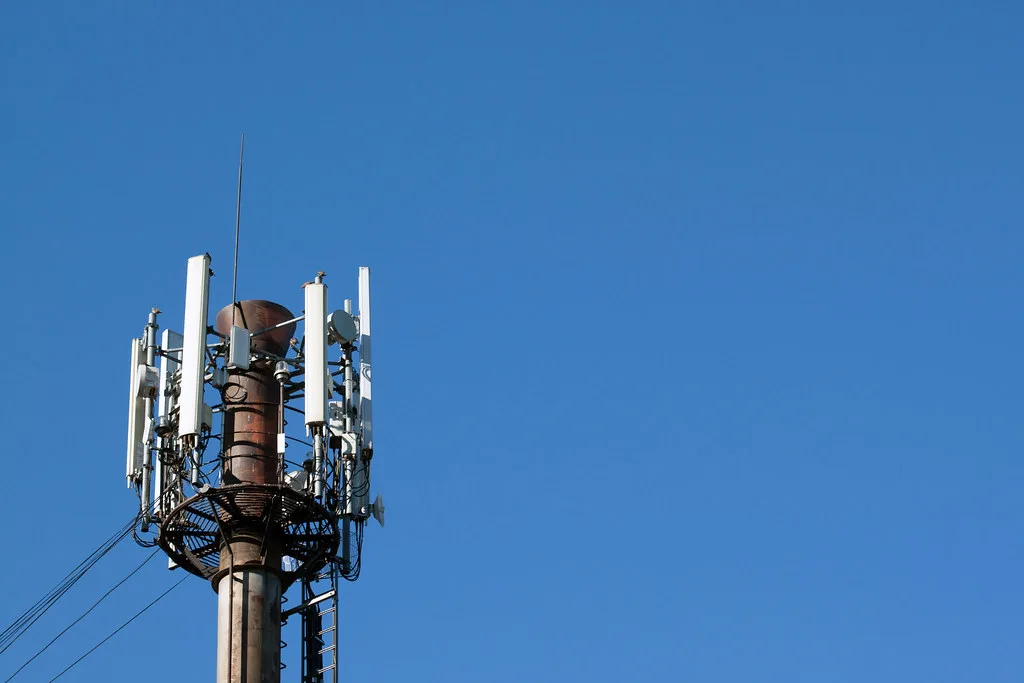
Most 3 network issues fall into one of two buckets: either Three itself is having an outage, or something on your own phone has quietly gone wrong. The frustrating part is that both feel identical from the sofa, no data, no calls, or a signal bar that lies. This guide shows you how to tell the two apart in about two minutes, then work through the fixes that actually restore service, so you are not needlessly resetting a phone when the fault is at the mast.
First, work out whose fault it is
Before you touch a single setting, find out whether the problem is yours or Three’s. If it is a network-wide outage, no amount of fiddling with your phone will help, and knowing that saves you a lot of wasted effort.
Three has run into national outages before. In June 2025 the network suffered a significant UK-wide disruption that knocked out calls and data for many customers for several hours, and it was fixed at Three’s end, not by anything users did. So checking status first is always the right first move.
There are three quick checks:
- Three’s own network status and coverage checker. Three publishes live service status and a coverage map on three.co.uk, where you can enter your postcode to see whether there is planned maintenance or a known fault in your area.
- A third-party outage tracker. Sites like Downdetector show a spike in user reports the moment a widespread outage begins. A sudden wall of complaints in the last hour is a strong sign it is Three, not you.
- Three’s social channels. Three typically posts updates on X during a live incident, which is often the fastest confirmation of a national problem.
If any of those show a widespread issue, the answer is simply to wait; the network operator has to fix it. If everything looks normal, the problem is likely your phone or SIM, and the fixes below will help.
The fixes that actually work
Assuming Three is not down, work through these in order. Most single-device problems are solved in the first two or three steps.
1. Toggle Airplane mode, then restart. Switch Airplane mode on for ten seconds and off again to force your phone to re-register with the nearest mast. If that does not do it, restart the phone properly. A reboot restored service for many people during past incidents and clears a surprising number of glitches.
2. Check you have not accidentally disabled data. Make sure mobile data is switched on, and that Data Saver or any per-app data limit is not blocking things. On a dual-SIM phone, confirm Three is set as the SIM for mobile data.
3. Reseat the SIM. Power off, take the SIM out, check it for dirt or damage, and refit it. A SIM that has worked loose is a common cause of a phone that shows no service in one spot but works elsewhere.
4. Update carrier settings and software. An outdated phone software or carrier profile can break data. Install any pending system update, which often includes updated network settings.
5. Check your APN. If data will not work but calls do, the Access Point Name may be wrong. Three’s correct APN is three.co.uk. Resetting network settings restores the default APN if it has been changed.
6. Test the SIM in another phone. If a known-good phone also has no service with your SIM in it, the SIM or account is the issue and you need to contact Three. If the other phone works fine, your handset is the culprit.
If it is patchy signal at home, not an outage
A different problem is weak Three signal in your house, which is not an outage at all but poor coverage indoors. Thick walls, foil-backed insulation and being far from a mast all block mobile signal. Two fixes help here: turn on Wi-Fi Calling in your phone settings so calls and texts route over your home broadband, or use a signal booster. Our guide to a mobile network booster explains the legal, Ofcom-compliant options. If your home broadband itself is unreliable, a 4G home router can even use a Three SIM to provide backup internet.
When to contact Three
Contact Three if a known-good phone still has no service with your SIM, if the coverage checker shows a fault at your location that lasts more than a day, or if you are being billed for a service you cannot use. Have your account details ready and note the times the problem occurs, as that helps them diagnose a mast fault.
Frequently asked questions
Is Three network down right now? The fastest way to check is Three’s own network status and coverage checker at three.co.uk, plus a third-party tracker like Downdetector, which shows a spike in reports the moment a widespread outage starts. If both look normal, the problem is probably your phone or SIM rather than the network.
Why has my Three signal suddenly stopped working? Common causes are a network outage, a SIM that has worked loose, mobile data accidentally switched off, an outdated carrier or software update, or simply moving into an area with poor Three coverage. Check whether Three is down first, then toggle Airplane mode, restart, and reseat the SIM.
How do I fix Three mobile data not working? Confirm mobile data is switched on and Data Saver is not blocking it, toggle Airplane mode and restart, then check your APN is set to three.co.uk. Installing pending software updates and resetting network settings resolves most data-only faults where calls still work.
Did Three have a major outage? Yes. In June 2025 Three UK had a significant nationwide outage that disrupted calls and data for many customers for several hours before it was resolved. It is a reminder to always check network status before assuming your own phone is at fault.
Why is my Three signal bad indoors? Mobile signal is blocked by thick walls, metal, foil-backed insulation and distance from the nearest mast, so a phone can show good signal outside and almost none indoors. Turning on Wi-Fi Calling routes calls over your broadband, and an Ofcom-compliant signal booster or a Three-powered 4G router can improve things.